

Last Updated: October 24, 2026
Quick Summary
Digital ID is not set to completely replace physical card checks at licensed premises; instead, certified digital proof of age launched as an optional, voluntary alternative on September 15, 2026, in England and Wales.
Key Details of the Scheme
- Voluntary Adoption: Accepting digital ID is optional for both licensed venues (pubs, bars, and shops) and customers. BBC News
- Physical IDs Remain Valid: Passports, photocard driving licences, and PASS cards continue to be completely valid, and no retirement or replacement date has been announced for physical cards.
- Approved Apps: Customers can use certified digital verification apps (such as Yoti, Post Office EasyID, and Luciditi) via a time-limited QR code or phone tap.
- Privacy Focus: The apps confirm that the user is 18 or older without exposing extra personal details like a home address. Gov.uk ID check
Table of Contents
- Why Digital ID Now Matters Behind the Bar
- How Digital Identity Verification Works at the Door
- What a Digital ID App Actually Shows Your Staff
- Digital Identity Wallet: The Next Step for Proof of Age
- Digital ID Security: What Venues Get Wrong
- Where Digital ID Fits With Licensing Law and Staff Training
- Getting Your Team Ready for Digital ID Checks
- Frequently Asked Questions
Why Digital ID Now Matters Behind the Bar
- Licensed premises such as pubs, music venues, shops and restaurants will have a secure, additional method to verify customers are over 18 under new rules for alcohol sales
- Businesses can now adopt existing digital identification technology, alongside usual processes for physical ID - making age-checks quicker, easier and more secure for customers and staff
- Customers can choose to use a certified app on their phone to prove they are over 18 when buying alcohol, without showing physical ID
At Knight Training, we speak to licence holders who are unsure whether a phone screen counts as acceptable evidence. The short answer: yes, provided your staff know how to check it properly and your due diligence is documented. Below, we explain exactly how digital identity verification works, what the app actually displays, and where venues get it wrong.
But first, here is what most guides miss. The risk is not the technology. It is the gap between a member of staff tapping "looks fine" and a documented, defensible check that stands up if a licensing officer or the police ask questions later.
How Digital Identity Verification Works at the Door
How the Process Works
- App Activation: The customer opens a certified digital ID app on their smartphone.
- Biometric Unlock: The user authenticates their identity on the phone using facial recognition (like Face ID) or a PIN to prevent someone else from using a borrowed device.
- QR Code Generation: The app generates a temporary, time-limited QR code (valid for about 30 seconds).
- Door Scan: Door staff use a reader, tablet, or smartphone to scan the QR code.
- Instant Verification: The system checks the digital signature and displays a clear result (such as a green tick or simple "Over 18" confirmation).
- Privacy Protection: Unlike handing over a physical driving license or passport, the app shares only the necessary age confirmation without exposing sensitive personal data like a home address or full date of birth.
Alternative: Physical ID Scanners
If a venue uses physical documents or integrated hardware scanners rather than a phone app:
- The scanner reads the 2D barcode, machine-readable zone (MRZ), or magnetic stripe from a physical driving license or passport.
- The system checks the date of birth, flags expired IDs, cross-references local or network ban lists (such as Pubwatch or Patronscan), and verifies security features.
- Note that physical IDs like passports and driving licenses remain legally valid and widely accepted alongside voluntary digital apps.
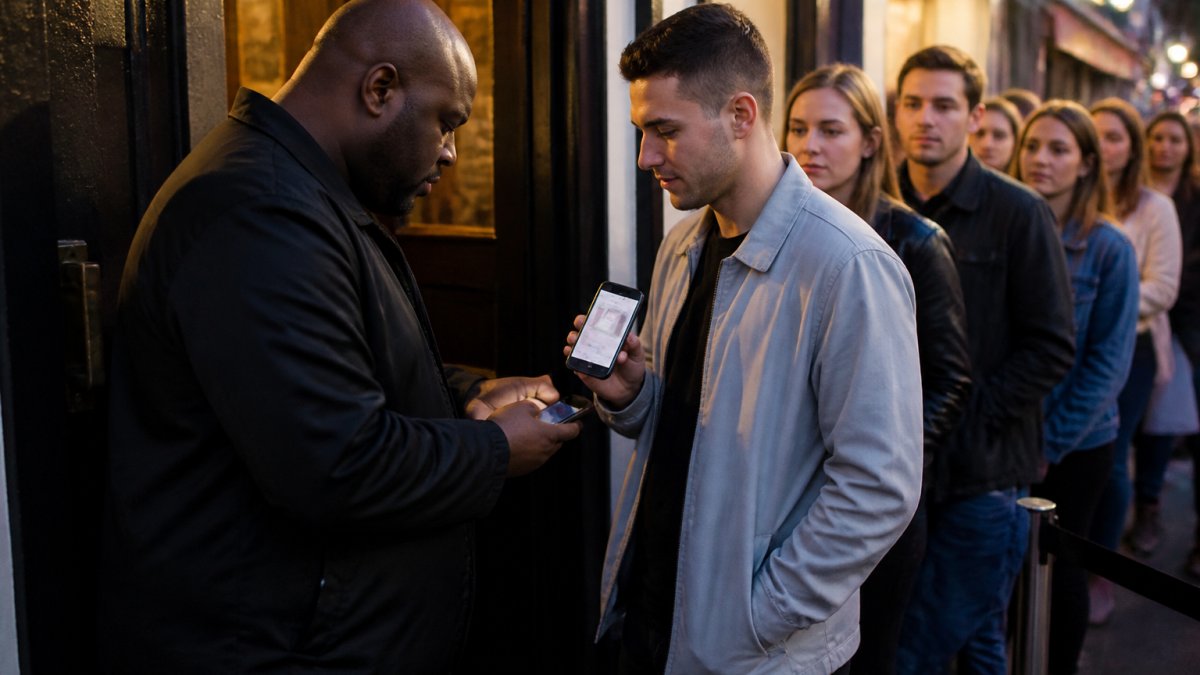
Here is the part that trips people up. A screenshot is not a digital ID. Neither is a photo of a card on a phone. Genuine digital identity verification uses a live, animated display that cannot be captured or forwarded, which is precisely what makes it harder to fake than a borrowed physical card.
What a Digital ID App Actually Shows Your Staff
When a customer presents a digital ID from a government-certified provider, staff use a free checker tool or an integrated EPOS system to scan the customer's phone. The staff member's device displays:
- Age Confirmation: A clear "Yes" or confirmation that the customer meets the required age threshold (such as 18+ or 21+).
- Authentication Status: Verification that the app is genuine, tamper-proof, and active.
- Face-Match Security: The app requires a biometric face scan to unlock, ensuring the person holding the phone is the registered owner.
What Staff Do Not See
Unlike a physical passport or driving licence, the digital system is designed to protect user privacy:
- No Home Address: Staff do not see where the customer lives.
- No Full Date of Birth or Name (in most verification flows): The venue only receives confirmation of the age limit, minimizing unnecessary data collection.
- No Photo Sharing or Screenshots: Static photos, screenshots, or screen recordings of an ID are legally invalid and will not pass the time-limited QR/NFC check.
That age flag matters more than it first appears. It lets a customer prove they are old enough without disclosing their exact birthday, address, or any other personal data. For a door team, the check becomes simpler: match the face, confirm the display is live, and read the age confirmation.
What the app will not tell you, is whether the person holding the phone is the person the credential belongs to. That judgment stays with your staff, and it is exactly the kind of vulnerability and welfare awareness that door teams need training on.
Digital Identity Wallet: The Next Step for Proof of Age
A digital identity wallet is a secure app that stores multiple verified credentials, such as proof of age, right to work, and driving entitlement, in one place on a phone. Rather than juggling separate apps, the holder carries one wallet and shares only the specific credential a venue asks for.
The direction of travel is clear. The government has been building the infrastructure for reusable digital identities through GOV.UK One Login, and the practical effect for hospitality is a customer base that increasingly expects to prove age with a phone rather than a card.
For venues, the operational question is not whether wallets will appear at your door. It is whether your team can recognise a legitimate wallet display and distinguish it from a screenshot. That distinction is the whole point.
Digital ID Security: What Venues Get Wrong
Digital ID security failures at venues almost always come down to process, not technology. The credential is secure. The check is where it falls apart.
The most common mistakes we see:
- Accepting a screenshot. A static image proves nothing. Insist on the live display.
- Skipping the face match. Staff glance at the screen and wave the customer through without comparing the photo to the person.
- No record of the check. If a challenge arises later, an undocumented refusal or acceptance is hard to defend.
- Untrained relief staff. An agency door supervisor who has never been shown a wallet display will default to what they know.
Multi-site operators have an extra problem: consistency. What one venue manager accepts, another refuses, and the brand carries the risk. Guidance on managing staff compliance across venues helps groups keep the standard identical from site to site.
The failures we see at venues are process failures, and they tend to repeat.
Problem |
Cause |
Fix |
|---|---|---|
Accepting a screenshot |
A static image proves nothing |
Insist on the live display |
Skipping the face match |
Staff glance at the screen and wave the customer through |
Compare the photo to the person |
No record of the check |
Undocumented refusal or acceptance is hard to defend |
Keep a record of the check |
Untrained relief staff |
Agency door supervisor never shown a wallet display |
Brief relief and agency staff before their first shift |
Inconsistency across sites |
What one venue manager accepts, another refuses |
Keep the standard identical from site to site |
Where Digital ID Fits With Licensing Law and Staff Training
Digital ID sits within the existing licensing framework rather than outside it. The Licensing Act 2003 places the duty on the premises licence holder and designated premises supervisor to prevent the sale of alcohol to under-18s, and the statutory defence rests on having taken all reasonable steps. A properly conducted digital check is one of those steps. A careless one is not.
The Home Office statutory guidance on the Licensing Act 2003 sets out the expectations for age verification and due diligence, and it is worth reading alongside your own policy. The principle is straightforward: the method can be digital, but the standard of care does not change.
This is where training does the heavy lifting. The accredited ADPS Level 3 training course for designated premises supervisors covers licensing duties and staff readiness, including how to build age verification into your written policy rather than leaving it to individual judgment.
Getting Your Team Ready for Digital ID Checks
Getting your team ready means three things: a written policy, a trained team, and a record that proves both. Start with the policy, because everything else hangs off it.
- Write the check into your age verification policy. Name digital ID as an accepted method and state the steps staff must follow.
- Train every door and bar team member. Include how to spot a live display versus a screenshot.
- Brief relief and agency staff before their first shift. No exceptions.
- Record the training. Keep dates, names, and refresher due dates in one place.
A training renewal record for hospitality staff makes the last step simple, and it is the document that answers the "what did you do to prevent this" question before it is asked. For bar teams handling age checks alongside spiking risks, the Stamp Out Spiking awareness course supports a safer premises overall.
The venues that get digital ID right are not the ones with the best technology. They are the ones whose teams were trained before the first wallet appeared at the door. If your staff cannot tell a live credential from a screenshot, your due diligence has a hole in it, and a licensing officer will find it.
Knight Training builds the training and the paper trail that close that gap. Our accredited courses, including the ADPS Level 3 qualification and the Welfare and Vulnerability Engagement e-learning, are delivered by a team accredited by the Highfield Awarding Body and the British Institute of Innkeeping. As one customer put it, "the staff, resources and information provided equipped me to pass the personal licence exam without a problem."
Get started with Knight Training and give your team the confidence to check digital ID properly, every time. Contact us today.
Frequently Asked Questions
Is a digital ID the same as a digital identity?
No. A digital identity is the broader set of data that describes you online, such as accounts, records and credentials held by different organisations. A digital ID is a specific, verified credential, usually held in an app or wallet, that proves who you are for a defined purpose. For a venue, the practical difference is that a digital ID is designed to be checked at the door, while a digital identity is not something staff can inspect. Focus on the credential, not the wider concept.
Are digital IDs safe to use for proof of age?
Digital ID security depends on how the credential is built and checked. Well-designed schemes show only the minimum data needed, such as confirming someone is over 18 without revealing their full date of birth or address. Staff should still check that the screen is live, look for the expected visual markers, and compare the photo to the person in front of them. Training matters here: a rushed check on any document, physical or digital, is where mistakes happen.
Can a digital ID replace a physical identity document at my venue?
That is a decision for your premises licence conditions and your own policy, not something a training provider can settle for you. Some schemes are designed to be accepted as proof of age, but venues should confirm the position with their licensing authority and record the policy in writing. If your door team is unsure, the safest approach is to accept the digital credential alongside existing physical documents rather than turning people away or accepting something your policy does not cover.
What should staff do if a customer cannot access their digital ID app?
Treat it like any other failed check. Ask whether they have a physical document as a fallback, and follow your refusals policy if they cannot produce acceptable proof. Lost access, a dead battery or a crashed app are common, so your team should know the fallback options before a busy Friday night. Brief door staff on this at the start of each shift, and keep the policy simple enough to apply under pressure.
